Prerequisites: What You Need Before Starting
Before you begin the KYC process, gather these items:
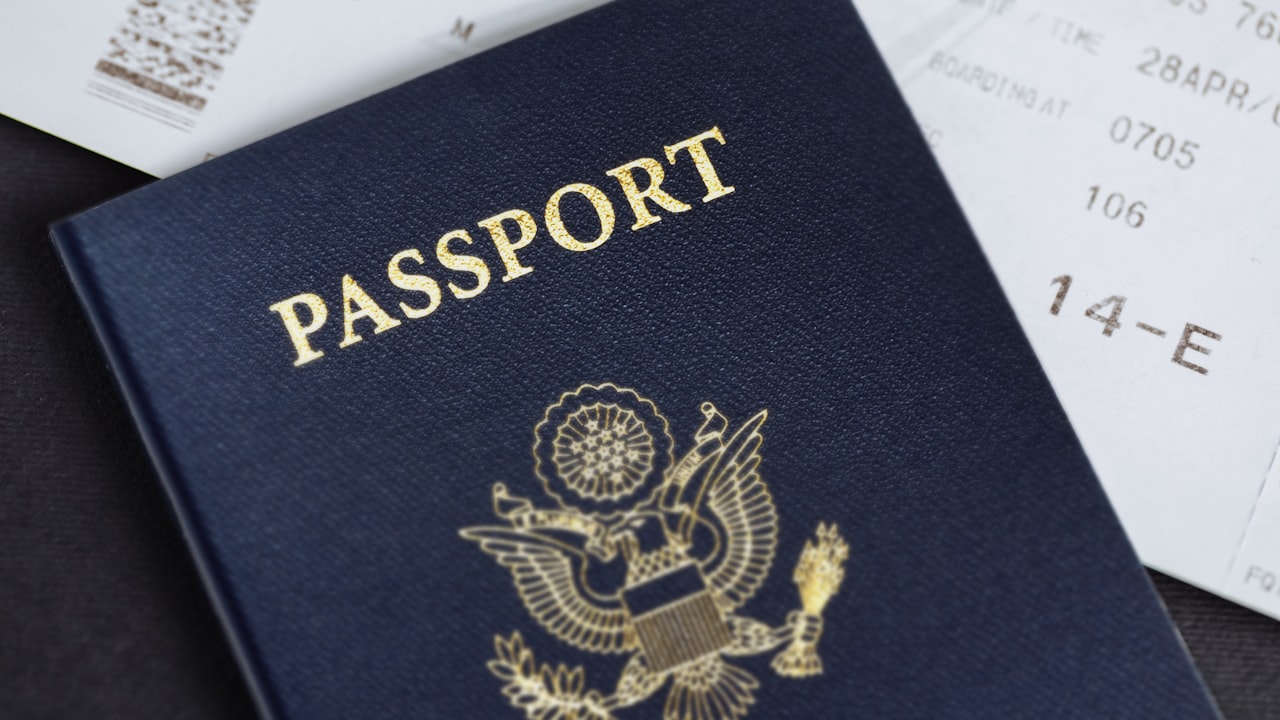
- Valid government ID: A current passport, national ID card, or driver’s license. Must be unexpired, fully visible, and readable in the photo.
- Smartphone or webcam: For the liveness check (selfie) to confirm your identity.
- Stable internet: 5–10 minutes of uninterrupted connection.
- Eligible location: ether.fi operates in 76 countries for card shipment. If you’re in a prohibited region (Russia, China, India, Venezuela, Turkey, Ukraine, and 14 others), or a blocked US state (AZ, DE, GA, ID, LA, MD, MS, MO, MT, NV, NM, ND, OH, OR, RI, SD, TN, VT, WA, WI), you won’t qualify.
Signal: Stuck in a restricted region? Crypto.com and Bybit Card have broader geographic coverage.
Step 1: Verify Your Phone Number
When you sign up for ether.fi, the app will prompt you to add a phone number.
- Open the app and tap Settings → Phone Verification.
- Enter your mobile number in international format (country code + number).
- A 6-digit OTP will arrive via SMS within 30 seconds.
- Enter the code to confirm ownership.
Why it matters: This links your account to a verifiable contact, prevents unauthorized account access, and serves as your primary recovery method. This is how to set up a crypto card without a bank account—ether.fi uses phone + identity, not bank statements.
Risk: If you don’t receive the OTP:
- Wait 2 minutes and tap Resend Code.
- Try a different phone (some carriers delay SMS).
- Check your spam or promotions folder.
- Contact support if SMS delivery consistently fails.
Step 2: Upload Your Government-Issued ID
This is the core of how to pass KYC on a crypto card. You’ll provide proof of identity through a clear photo.
- Go to Settings → Identity Verification → Upload ID.
- Select your document type: Passport, National ID, or Driver’s License.
- Take a clear, well-lit photo of the front side (and back if required for your document type).
- Ensure all text and numbers are legible.
- Avoid shadows, glare, or blurriness.
- Frame the entire document with small margins.
- Use natural daylight if possible.
- Upload the image(s) from your phone’s gallery.
Key metric: Most verifications complete within 24 hours. High-quality submissions often clear in 15–30 minutes.
Watch: If your ID expires within 3 months, have a renewal ID or second form of ID ready. Some regions’ compliance requirements reject IDs with <6 months validity remaining. Update your address in the app before uploading if you’ve recently moved—mismatches trigger rejections.
Step 3: Complete the Liveness Check
The liveness check is a short video selfie proving you’re a real person and match your submitted ID.
- Tap Start Liveness Check in the Identity Verification flow.
- Position your face in the center of the on-screen circle.
- Follow the app’s prompts—you’ll be asked to:
- Look straight at the camera.
- Blink naturally.
- Turn your head left, then right (~30 degrees each).
- Smile and relax your face.
- The system processes the video in real-time and compares your face to your ID photo.
Why it matters: Liveness checks prevent spoofing—using a photo, video, or deepfake instead of a real person. Combined with your ID, this confirms you’re genuinely who you claim to be.
Signal: If the app says “face not detected”:
- Ensure your face fills 60–70% of the frame.
- Both eyes must be visible and open.
- Move to a brighter room (backlighting makes faces too dark).
- Wipe the camera lens clean.
- Use a tripod or prop the phone so it’s steady.
Alternative: If you fail the liveness check after 3 attempts, take a 30-minute break (your facial muscles may be tired) and retry. If you consistently fail after 5 attempts, contact ether.fi support for manual escalation—a human will review your documents, which takes 2–5 business days but has a high approval rate.
Step 4: Address Verification and Final Confirmation
The last step ties your identity to your mailing address and prepares your account for card shipment.
- Enter your full residential address: street number and name, city, state/region, postal code, country.
- Confirm the country matches your ID and your actual location.
- Tap Submit for Verification.
- The system processes your information within 24 hours.
Key metric: Once approved, you’ll see a green checkmark in the app and can activate your virtual card immediately. The physical card will ship 15–20 business days later (or 1–3 days if you’re on the Pinnacle tier, which has a $50k/month spend limit).
Watch: Your mailing address must match the official ID if the ID has an address. If you’ve recently moved and your ID still shows your old address, either (a) update your ID first, or (b) explain in a support ticket. Most approvals proceed anyway, but mismatches can trigger manual review.
How to Set Up a Crypto Card Without a Bank Account
One of ether.fi’s biggest advantages is the no bank account requirement. You can set up a fully functional crypto card using only your identity:
- Complete KYC (phone + ID + liveness + address).
- Fund the card by sending ETH, USDC, or other supported stablecoins from your own wallet.
- Spend globally—your card converts crypto to fiat on-the-fly.
- Retain full custody—you control the private keys; ether.fi never holds your funds.
This is revolutionary compared to traditional card issuers (which require a bank account and government-issued payroll records) and even most crypto cards (which are custodial—a company holds your crypto and you trust them not to freeze or lose it).
Why it matters: If you’re unbanked, banned from traditional banking, a nomad, or philosophically committed to self-custody, this unlocks financial inclusion without intermediaries. You own the funds 100%.
Risk: Your security depends entirely on your wallet’s safety. Use a hardware wallet (Ledger, Trezor) or non-custodial mobile wallet (MetaMask, Rainbow, Phantom). Never store large balances on custodial exchanges—if that exchange gets hacked or frozen, your card funds go with it.
Common KYC Mistakes to Avoid
Most rejections are preventable. Here’s how to pass KYC on your first try:
Mistake 1: Blurry or Partially Obscured ID
- Fix: Your ID photo must be sharp, fully visible, and glare-free. Retake the photo with better lighting and a steadier hand (or use a tripod).
Mistake 2: ID Is Expired or Near-Expiration
- Fix: ether.fi may accept IDs expired <6 months, but rejects older ones. If your ID is expiring soon, renew it before submitting KYC.
Mistake 3: Poor Liveness Check Lighting
- Fix: Backlighting makes your face dark and unmatchable to your ID photo. Sit in front of a window (daylight) or under a lamp. Ensure your face is well-lit and the background is neutral (plain wall).
Mistake 4: Typos or Mismatches
- Fix: Double-check spelling of your name, address, and country code before submitting. A typo or mismatch between your address and ID triggers rejection and a 24–48 hour resubmission cooldown.
Mistake 5: Using a Damaged or Very Old ID
- Fix: If your ID is visibly worn, text is faded, or it’s a photocopy rather than an original document, rejection is likely. Use a clean, current, original ID.
What to Watch During and After KYC
- Email confirmations: You’ll receive an email at each step (phone verified, ID submitted, liveness passed, address confirmed). Save these for your records.
- Approval timeline: Most accounts are approved within 24 hours. If you’re waiting >48 hours, check your spam/promotions folder for ether.fi emails, or log in and check the app status.
- Virtual card vs. physical card: Your virtual card is ready the moment KYC is approved—start spending immediately via Apple Pay or Google Pay. Physical card ships 15+ business days (1–3 if Pinnacle).
- Geographic changes: If you travel internationally or move, update your address in the app. ether.fi may freeze your account if your location contradicts your registered address.
- Transaction limits: Core tier starts at $2,000/month spend limit; Luxe is $10,000; Pinnacle is $50,000. Once approved, you can upgrade by increasing your monthly volume or applying directly.
Bottom Line
- Quick process: Phone OTP → ID upload → Liveness check → Address confirmation = complete KYC in ~10 minutes, approval in <24 hours.
- No bank required: ether.fi verifies only your identity and address. Fund with crypto directly from your wallet—self-custody from day one.
- High first-try rate: 95%+ of applications with clear documents and accurate info are approved on the first submission.
- Ready to activate? Sign up through our link to qualify for our referral bonuses, then complete KYC in under 30 minutes. Your virtual card is active immediately after approval.
FAQ
Q: How long does KYC verification take on ether.fi? A: The manual portion (uploading ID, taking a selfie) takes 5–15 minutes. Automated processing typically completes within 24 hours; most accounts are reviewed within 4 hours if documents are clear and details match. Complex cases requiring manual review take 2–5 business days.
Q: Can I use a digital ID or passport instead of a physical copy? A: ether.fi generally requires a photo of a physical government-issued document. Some countries’ digital IDs (like mPass in select EU regions) may work, but check with support first if you only have access to a digital ID.
Q: What happens if my KYC is rejected? A: You’ll receive a specific rejection reason in the app (e.g., “photo too blurry” or “face partially obscured”). Address the issue and resubmit. You get up to 3 attempts automatically. If all fail, contact support—they’ll escalate to manual review, which takes 2–5 additional business days.
Q: Is it safe to upload my government ID to ether.fi? A: ether.fi uses bank-grade encryption for all identity documents and biometric data. Your ID and photo are stored separately from your on-chain account. That said, any digital service carries inherent risk—use a strong, unique password and enable two-factor authentication (2FA) to protect your account.
Q: Can I use an expired government ID? A: IDs expired less than 6 months ago may be accepted, though some jurisdictions have stricter rules. IDs older than 6 months will be rejected. If your ID is nearing expiration, consider renewing it before starting KYC to avoid delays.
Q: What if I’m in a country or US state where ether.fi doesn’t operate? A: ether.fi does not serve 20 countries (Russia, China, India, Venezuela, Turkey, Ukraine, Belarus, Bangladesh, Cuba, Estonia, Finland, Hungary, Iraq, Israel, Nepal, Netherlands, North Korea, Philippines, Syria, Vietnam) or 21 US states (Arizona, Delaware, Georgia, Idaho, Louisiana, Maryland, Mississippi, Missouri, Montana, Nevada, New Mexico, North Dakota, Ohio, Oregon, Rhode Island, South Dakota, Tennessee, Vermont, Washington, Wisconsin). You will not be able to complete KYC. Consider alternatives like Crypto.com or Bybit Card.
Risk & Disclosure
DefyCard publishes affiliate-linked reviews; we earn a commission when you sign up through our links. This does not affect your pricing.
ether.fi Cash is a non-custodial crypto card. Your funds are stored in your own crypto wallet, not held by ether.fi or a bank. Cryptocurrency is volatile—your card balance can fluctuate significantly. ether.fi operates in 76 countries but is prohibited in 20 countries and 21 US states. Always verify your location eligibility before signing up.
This article is educational and not financial advice. For the most current KYC requirements and regional restrictions, visit ether.fi’s official help center.