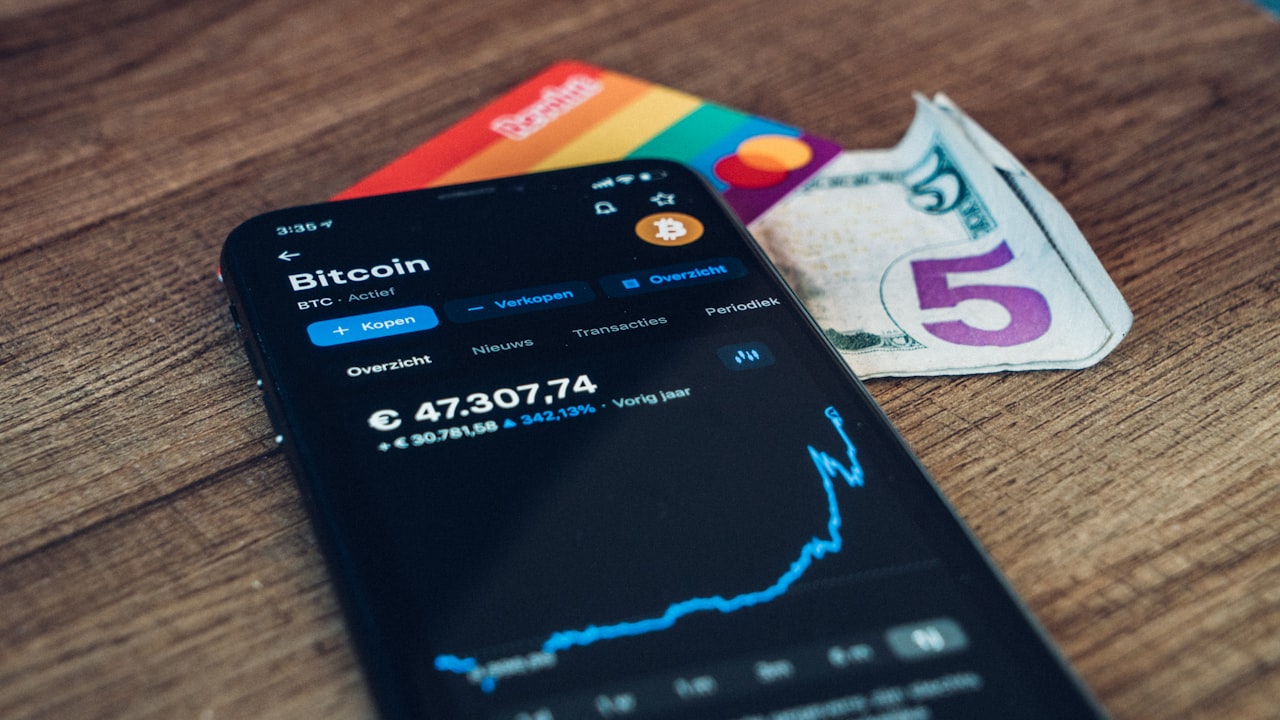
Understanding Your Crypto Card’s Funding Options
Most crypto debit cards accept funding through three primary methods: direct cryptocurrency transfers from your wallet, withdrawals from a centralized exchange (CEX), or fiat on-ramps that convert your bank deposit into crypto. Each method has trade-offs in speed, fees, and complexity.
Key metric: Direct crypto transfers are fastest (confirm in 1–2 blocks) and cheapest (blockchain gas fees only), but require you to own crypto already. CEX withdrawals add a small fee (typically $2–$5) but are convenient if you trade. On-ramps bypass crypto ownership entirely and convert fiat directly, though they may charge 2–5% plus KYC steps.
Signal: If you’re new to crypto and want the simplest funding path, an on-ramp provider (like Stripe, Simplex, or MoonPay) is your fastest entry point — skip the exchange and go straight from your bank account.
Method 1: Direct Crypto Transfer to Your Card
This is the most cost-effective way to add money to your crypto debit card. Your card holds a wallet address (usually on Ethereum or Polygon, depending on the card) that you can send crypto to instantly.
Step 1: Locate your card’s wallet address
Open your card app and find the “Top up” or “Fund” section. Copy your public wallet address — it looks like 0x1234… (Ethereum) or similar depending on the blockchain your card supports.
Step 2: Choose the blockchain Many cards accept funding on multiple blockchains (Ethereum, Polygon, Scroll, etc.) to reduce fees. Watch: Polygon and Scroll typically cost 90% less than Ethereum mainnet. Select the lowest-fee option for your region.
Step 3: Send crypto from your wallet Open your personal wallet (MetaMask, Trust Wallet, Ledger Live, etc.) and initiate a transfer to the card’s address. Confirm the amount and pay the blockchain gas fee — typically <$1 on Polygon or $5–$50 on Ethereum mainnet.
Step 4: Wait for confirmation Direct transfers confirm in 1–2 minutes on fast networks (Polygon, Scroll) or 10–30 minutes on Ethereum mainnet. Your card balance updates once the blockchain confirms.
Risk: Double-check the destination address before sending — blockchain transfers are irreversible. Copy-paste from the official card app, never trust manually typed addresses.
Method 2: Withdraw Crypto from an Exchange
If you trade on Coinbase, Kraken, Bybit, or another exchange, withdrawing directly to your card’s wallet is seamless.
Step 1: Get your card’s deposit address Same as Method 1 — copy your card’s public wallet address from the app.
Step 2: Initiate a withdrawal on your exchange Log into your trading account. Go to “Withdraw” or “Send crypto.” Select the blockchain (e.g., Polygon for low fees) and paste your card’s address as the destination.
Step 3: Confirm the withdrawal You may need to verify the address (some exchanges email a confirmation link). Enter the amount and approve. The exchange will deduct a small withdrawal fee — typically $2–$10.
Why it matters: Bybit Card users can withdraw USDT directly to their card balance on Polygon in seconds. This is faster and cheaper than converting to fiat first.
Step 4: Wait for blockchain settlement Like direct transfers, you’ll wait 1–2 minutes on Polygon or 10–30 minutes on Ethereum. Your card balance updates once confirmed.
Signal: Exchanges like Kraken and Coinbase often support direct Polygon withdrawals at no extra fee — check your chosen exchange’s supported networks before withdrawing.
Method 3: Convert Crypto to Fiat and Top Up Your Balance
Some cards accept fiat top-ups from your bank account, which the card provider converts to stablecoins or other assets. This method skips the exchange and blockchain entirely.
Step 1: Link your bank account Open your card’s app and navigate to “Funding” or “Add payment method.” Link your bank account (debit card, ACH transfer, or wire) following the app’s verification steps (usually 2–3 questions or a micro-deposit).
Step 2: Choose an on-ramp provider Your card may use Stripe, Simplex, MoonPay, or another on-ramp. Select your country and payment method (debit, bank transfer, etc.). These platforms typically charge 2–5% + fixed fee ($1–$3).
Why it matters: This method is ideal for how to convert crypto to fiat on card when you don’t want to hold stablecoins — you buy exactly what you spend, instantly.
Step 3: Confirm the amount and fees Review the total cost (e.g., $100 bank transfer → $97 arrives as USDC after 2.5% fee). Approve the transaction.
Step 4: Wait for processing Bank transfers settle in 1–3 business days. Instant options (Apple Pay, Google Pay) settle in 10–30 seconds where available.
Alternative: Some cards let you add a virtual card to Apple Pay or Google Pay connected to your bank account, then use that to top up instantly. This bypasses the on-ramp middleman entirely.
How to Top Up Bybit Card and Other Alternatives
Bybit Card follows a similar pattern to most crypto cards: direct deposit address, CEX withdrawal, or fiat top-up. The key difference is Bybit’s native integration with the Bybit exchange — you can withdraw USDT directly from your trading account to your card in one tap.
Bybit Card funding process:
- Get your card’s Polygon USDT address from the Bybit app.
- On the Bybit exchange, withdraw to that address (choose Polygon network).
- Confirm — funds arrive in 30 seconds to 2 minutes.
- The card auto-converts USDT to spending currency as you swipe.
Risk: Bybit Card is currently only available in select regions (Asia-Pacific, Europe). Check Bybit’s help center for your country’s eligibility. If unavailable in your region, ether.fi Cash is available in 76 countries and supports all three funding methods above.
Signal: How to top up Bybit Card is fastest if you’re a Bybit trader — one exchange, one card, no middleman. For users outside Asia-Pacific, ether.fi Cash offers the same multi-method flexibility with broader geographic reach.
Comparing Methods: Speed, Cost, and Fit
Direct crypto transfer (Method 1):
- Speed: 1–2 minutes (Polygon) / 10–30 min (Ethereum)
- Cost: <$1 gas (Polygon) / $5–$50 (Ethereum)
- Best for: Crypto holders, low-fee priority
- Complexity: Medium — need crypto already
Exchange withdrawal (Method 2):
- Speed: 1–2 minutes (Polygon) / 10–30 min (Ethereum)
- Cost: $2–$10 exchange fee
- Best for: Traders, stablecoin users
- Complexity: Low — one-click from exchange
Fiat on-ramp (Method 3):
- Speed: 10 seconds–3 business days (depends on method)
- Cost: 2–5% + $1–$3 fixed fee
- Best for: First-time users, no crypto yet
- Complexity: High — requires KYC, slower
Why it matters: Crypto holders should use Method 1 or 2 — they’re instant and nearly free. Crypto newcomers should use Method 3 to skip the exchange entirely.
Security and Best Practices
1. Verify addresses twice before sending Before sending crypto, triple-check the destination address. Many scams replace copied addresses with phishing lookalikes. Use QR codes from the official app when possible.
2. Test with a small amount first Send $10–$50 as a test before funding a large balance. Confirm the transfer lands correctly on your card, then fund the full amount.
3. Use reputable exchanges and wallets Withdraw only from verified exchanges (Kraken, Coinbase, Bybit, Gemini). Avoid obscure platforms that may be hacked or shut down.
4. Enable two-factor authentication On your card app, exchange account, and personal wallet, enable 2FA (Google Authenticator preferred over SMS). This prevents unauthorized top-ups.
Why it matters: A verified address prevents irreversible loss. A stolen card PIN or exchange password can drain your balance in minutes.
What to Watch
- Blockchain gas spikes during bull runs: When Bitcoin and Ethereum rise sharply, network congestion pushes gas fees to $20–$100 on mainnet. Monitor gas prices before sending — Polygon stays <$1 even in peaks.
- Exchange withdrawal limits: Your CEX may impose daily caps ($500–$5,000/day). Plan ahead if topping up large amounts, or ask the exchange to raise your limit.
- Regional on-ramp blackouts: Stripe and MoonPay block certain countries weekly. Test your provider before funding — some geofence users without warning.
- Stablecoin preference shifts: A card may deprecate USDC in favor of USDT or native stablecoins. Check your card’s approved list quarterly.
- Card provider outages: Ether.fi, Bybit, and other providers occasionally pause top-ups during upgrades. Keep a backup card or wallet if this is your primary spend method.
Bottom Line
- Crypto holders (own ETH, USDC, USDT): Use Method 1 — direct transfer to your card’s Polygon address. It’s instant, costs <$1, and takes 2 minutes.
- Exchange traders (Bybit, Kraken, Coinbase): Use Method 2 — one-click withdrawal from your account to your card. No middleman, low fee ($2–$10), done in 30 seconds.
- Crypto newcomers (want to buy and spend immediately): Use Method 3 — fiat on-ramp or bank transfer. Accept the 2–5% fee; you skip the exchange and skip holding crypto.
- If you fit one of these profiles, open an ether.fi Cash card today — it supports all three methods, works in 76 countries, and takes 5 minutes to fund. You’ll pay less in fees and spend faster than any traditional card on the market.
FAQ
How long does it take to add money to a crypto card?
Direct crypto transfers (Method 1) settle in 1–2 minutes (Polygon) or 10–30 minutes (Ethereum). Exchange withdrawals (Method 2) are the same speed. Fiat on-ramps (Method 3) settle instantly (10–30 sec) for digital wallets or 1–3 business days for bank transfers.What are the fees for topping up a crypto card?
Direct transfers: blockchain gas only (<$1 on Polygon, $5–$50 on Ethereum). Exchange withdrawals: $2–$10 fee from the exchange. Fiat on-ramps: 2–5% + $1–$3 fixed fee. Direct transfer is cheapest; on-ramps are most accessible for non-crypto users.Can I send stablecoins (USDC, USDT) or only Bitcoin and Ethereum?
Most cards accept all ERC-20 stablecoins (USDC, USDT, DAI) on Ethereum and Polygon. Check your card's app for approved tokens — sending unsupported tokens may result in permanent loss. Ether.fi Cash accepts USDC, USDT, and other major stablecoins.What if I don't own crypto yet — can I top up with fiat only?
Yes. Use a fiat on-ramp like Stripe, MoonPay, or your card's built-in bank transfer option. Link your debit card or bank account, select an amount, and the provider converts your fiat to stablecoins directly into your card. No exchange account needed.Is it safe to send crypto to my card's address?
Yes, provided you verify the address from the official app. Always copy-paste or scan the QR code, never type manually. Enable 2FA on your card app and any withdrawal exchange for extra security. The main risk is user error, not the card itself.Why do on-ramps charge so much, and can I avoid the fee?
On-ramps charge 2–5% to cover KYC compliance, bank partnerships, and regulatory costs. To avoid: use a CEX (free withdrawal) or hold crypto already. If you must use an on-ramp, Stripe and MoonPay are cheapest at 2–3%.Risk & Disclosure
DefyCard publishes affiliate-linked reviews; we may earn a commission when you sign up through our links. Cryptocurrency is a volatile asset. The value of stablecoins, Bitcoin, Ethereum, and other cryptocurrencies can fluctuate significantly. Adding money to a crypto card does not guarantee the value will remain stable — you may spend the same crypto tokens and receive less purchasing power than when you deposited them.
Country restrictions: Ether.fi Cash is not available in Belarus, Bangladesh, China, Cuba, Estonia, Finland, Hungary, India, Iraq, Israel, Nepal, Netherlands, North Korea, Philippines, Russia, Syria, Turkey, Ukraine, Venezuela, or Vietnam. In these regions or in prohibited US states (AZ, DE, GA, ID, LA, MD, MS, MO, MT, NV, NM, ND, OH, OR, RI, SD, TN, VT, WA, WI), we recommend Crypto.com Card or Bybit Card as alternatives.
This article is educational only. Always verify the current top-up methods and fees on your card’s official app or help center before funding — they may have changed since publication.